
Count What You Switch Off
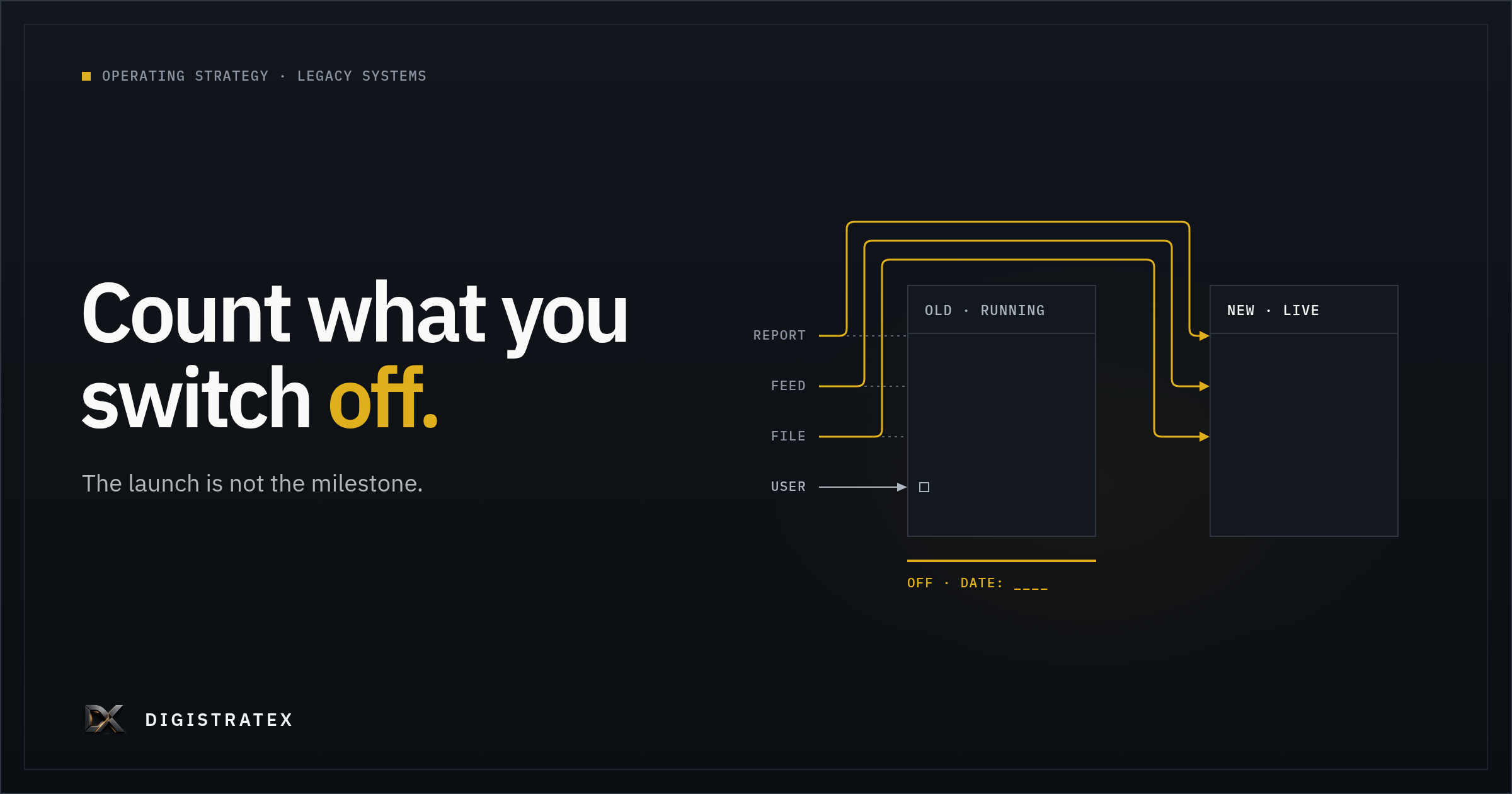
Every modernization program has a launch date. Very few have a switch-off date.
That is the wrong way round. The new system is where the cost starts. The old system is where the savings are. Until it is switched off, you are paying for both, carrying the risk of both, and keeping your data in two places.
So count progress by what you switch off, not by what you launch.
The plan usually stops at go-live
The U.S. Government Accountability Office looked at the 11 federal legacy systems most in need of modernization. It set a minimum for what a plan should include: milestones, a description of the work, and details on what happens to the legacy system. Two of the systems had no plan at all. Only three of the eleven had plans that fully described what would happen to the old system.
The same report notes that agencies spend more than $100 billion a year on IT and typically report about 80% of it on operating and maintaining what already exists. Of the 10 critical systems GAO flagged in 2019, agencies had completed three modernizations by February 2025.
The UK shows the same pattern from another angle. Its State of Digital Government review found legacy rising to an estimated 28% of central government systems in 2024, from 26% the year before. It found spend "biased towards new programmes," and half of survey respondents said that when there is a budget for legacy remediation, it frequently gets reallocated to other initiatives.
And in April 2026, as a House of Commons committee recorded in June, the government confirmed that "a comprehensive account of which systems have been remediated or decommissioned is currently unavailable."
Nothing about this is unique to government. Government just publishes it.
Why old systems refuse to die
Old systems rarely survive because of the core transaction. The new platform usually handles that well. They survive because of everything attached to the edges:
- A month-end report one department still pulls every cycle.
- A nightly file that a partner, regulator, or downstream system expects.
- Ten years of history nobody decided where to put.
- A small team that still does one task the old way because the new screen does not quite fit.
Each of these is small. Together they keep the old system running, licensed, patched, and staffed, often for years. The program closes, the team moves on, and the run cost of two systems becomes the new normal.
Some illustrations, not client cases:
- Claims. A health plan launches a new claims platform. The old one stays up for one provider contract type and a finance reconciliation.
- Benefits. A state agency moves applications online. The old mainframe still generates the notices residents receive by mail.
- Manufacturing. A company replaces its ERP. Two plants keep the old one for a costing report their controllers trust.
Make the switch-off the milestone
The fix is not technical. It is a change in what leadership asks to see.
- Put the retirement in the business case. Name the systems to be switched off, the date, and the run cost that disappears. Count benefits from that date, not from launch. If the case only works when the old system goes away, say so in writing.
- Inventory the consumers, not just the code. Find every report, feed, file, and user that still reads from the old system. Give each one a destination in the new world or a decision to stop. Your systems can tell you much of this, the same way they can show how work really moves, as we described in Map the Real Work Before You Redesign It.
- Cap the parallel run. Running old and new side by side is sensible for a short, defined period. Set exit criteria and an end date before go-live. A working assumption, not a benchmark: two month-end closes is often enough to prove the numbers match. An open-ended parallel run is a second system you chose to keep.
- Ringfence the retirement money. Decommissioning has real cost: data extraction, archive, contract exit, testing. If it is funded from whatever is left at the end, it will not happen. Make it its own line, and do not let it be moved.
Migrate decisions, archive history
Data is where switch-offs stall most often. The default is to move everything, which turns a migration into a multi-year cleansing project.
Separate two kinds of data. Data the organization decides with: open accounts, active cases, current members, live contracts, and the history the new process actually uses. Migrate that, cleanly. Data the organization only has to keep: closed records held for audit, legal, or reference. Put that in a read-only archive that people can search without the old system, and confirm the retention rules with counsel and your records lead.
Then delete what the retention schedule says you may delete. Old systems often hold data no one is required, or wise, to keep.
This is a different question from the provider exit we argued for pricing in Buy What You Can Leave. That piece is about the exit you may need someday. This one is about the exit you already owe.
The Switch-Off Scorecard
| Criterion | Accountable Owner | Evidence Required | Red Flag |
|---|---|---|---|
| 1. Retirement in the business case | CFO or budget director | Named systems, switch-off date, run cost removed | Benefits counted from launch |
| 2. Consumer inventory | Owner of the old system | Every report, feed, file, and user listed, each with a destination or a stop decision | "We'll find out when we turn it off" |
| 3. Data disposition | Data owner + records or legal lead | What migrates, what is archived read-only, what is deleted under the retention schedule | "Migrate everything" as the default |
| 4. Parallel run capped | Program sponsor or COO | Exit criteria and end date set before go-live | Parallel run with no end date |
| 5. Retirement funded | CFO or budget director | Decommissioning as its own protected budget line | Retirement paid from "whatever is left" |
| 6. Switch-offs reported | CIO + CEO | Register of systems retired, with dates and cost removed | Progress reported only as features launched |
The Question for the Board
Boards hear a lot about new platforms. They rarely hear about the ones that were supposed to go away.
So at the next technology or transformation review, ask:
Which system did our last modernization actually switch off, on what date, and what did we stop paying for?
If the answer is a launch date, the program is not finished.